A step-by-step guide on how to start and stop charging for electric vehicles at CLP's EV charging station.
Fee-charging
1. Download Charging APP in APP Store/ Play Store. Detail fee-charging price setting, please refer to the APP.
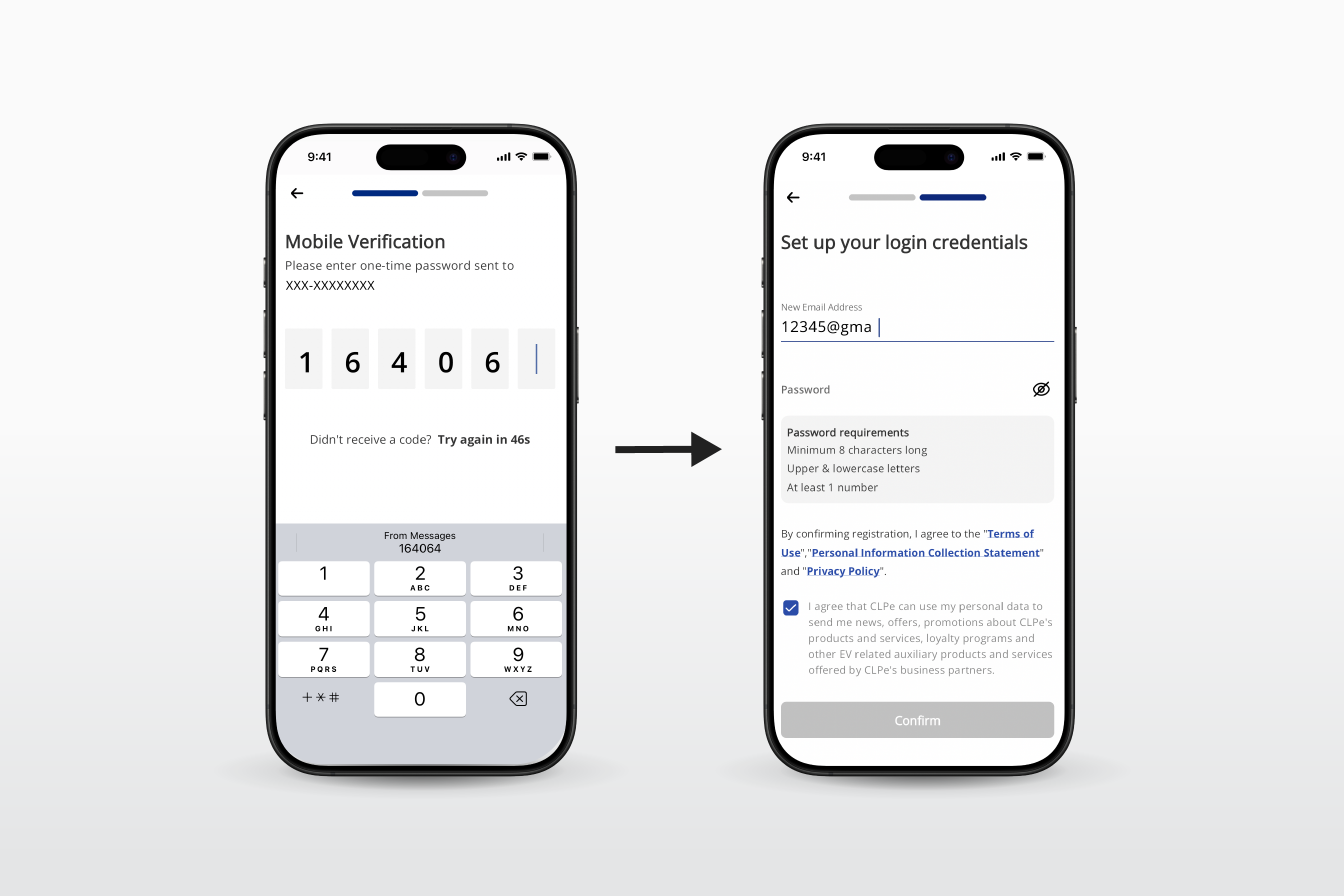
2. Register / Login on your mobile phone. Also verify with OTP to set up your account.
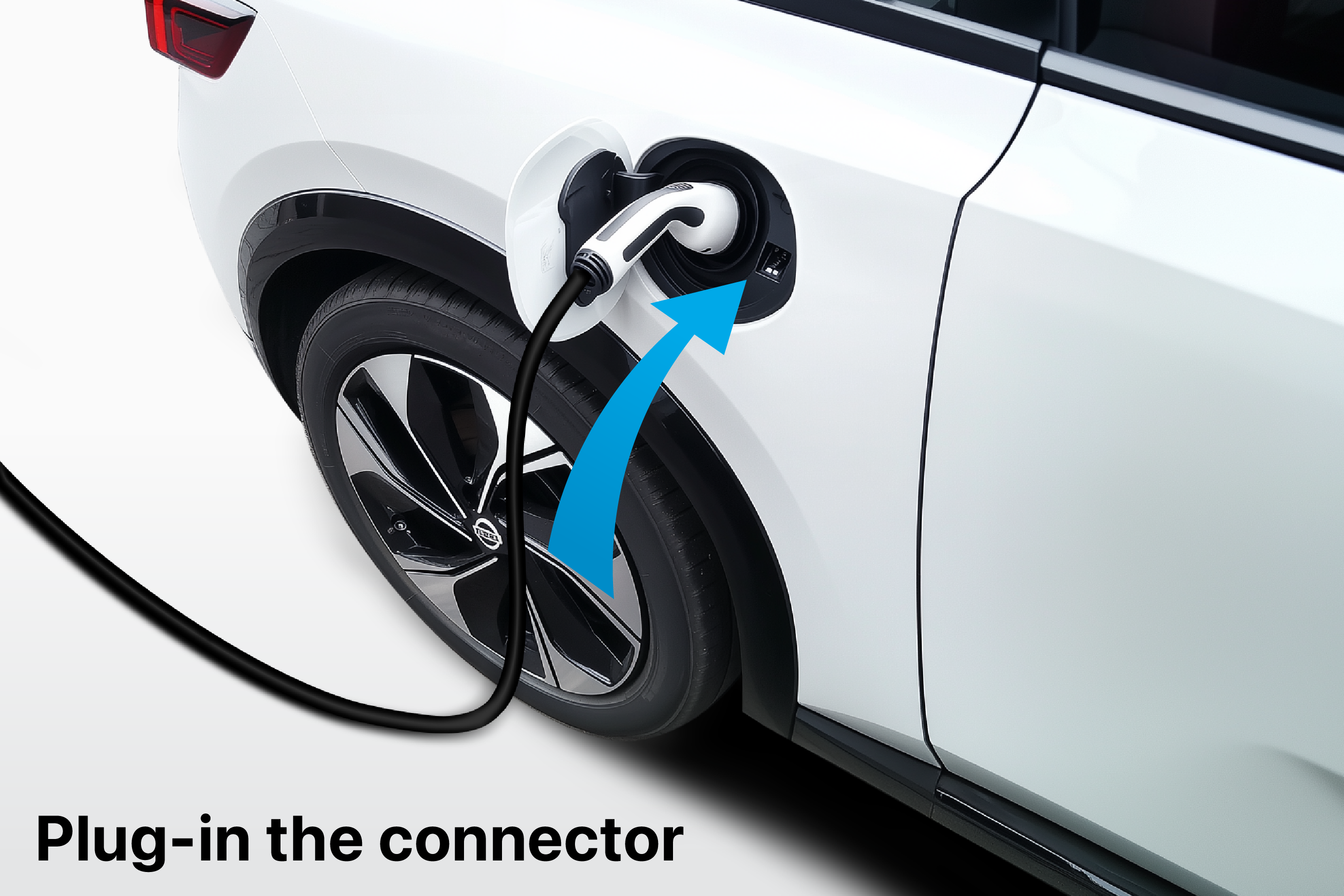
3. Plug-in the connector to EV.
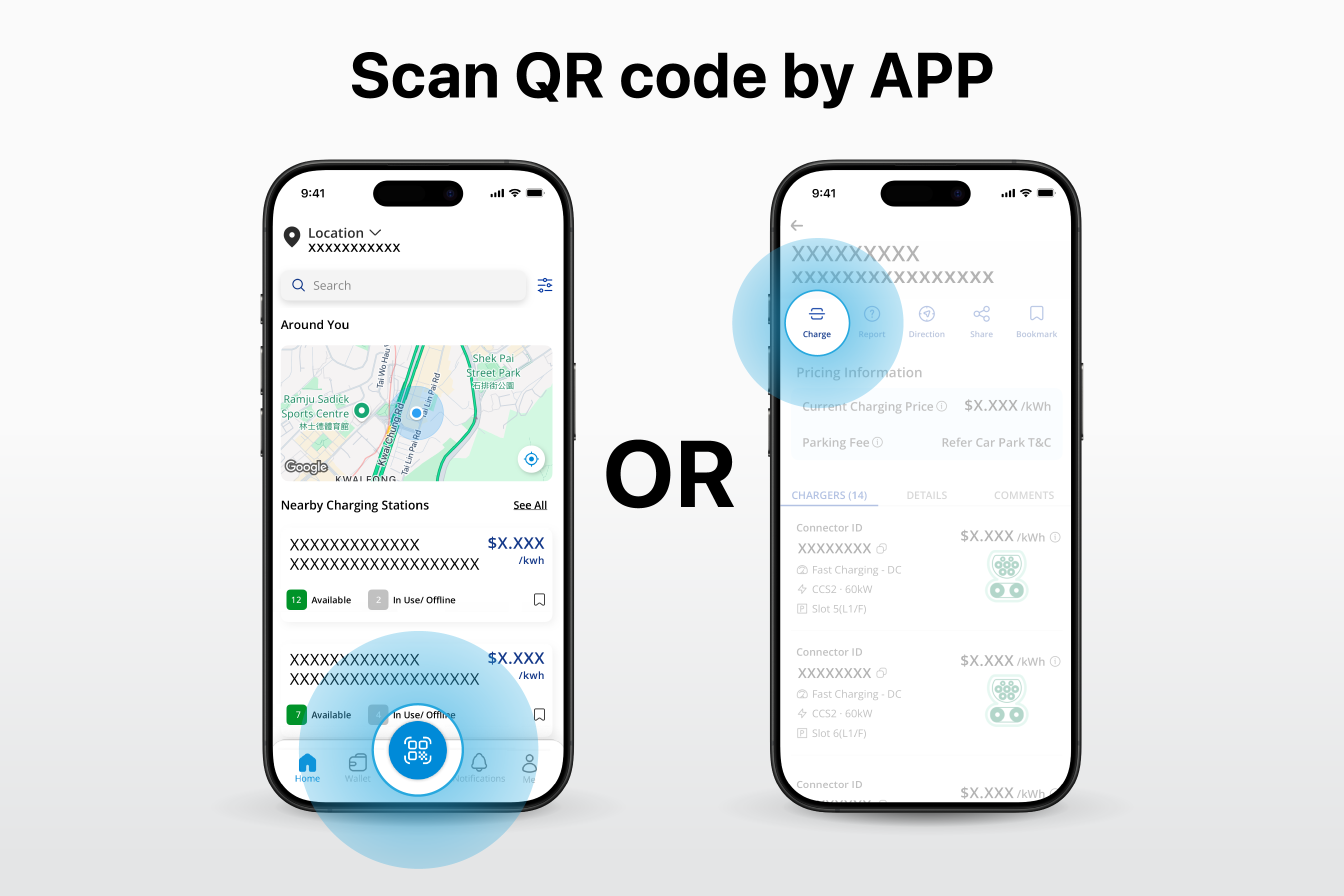
4. Scan the QR code on the charger by using QR scanner in the APP. For any assistance, please contact our Customer Services Hotline at 2678 1667.
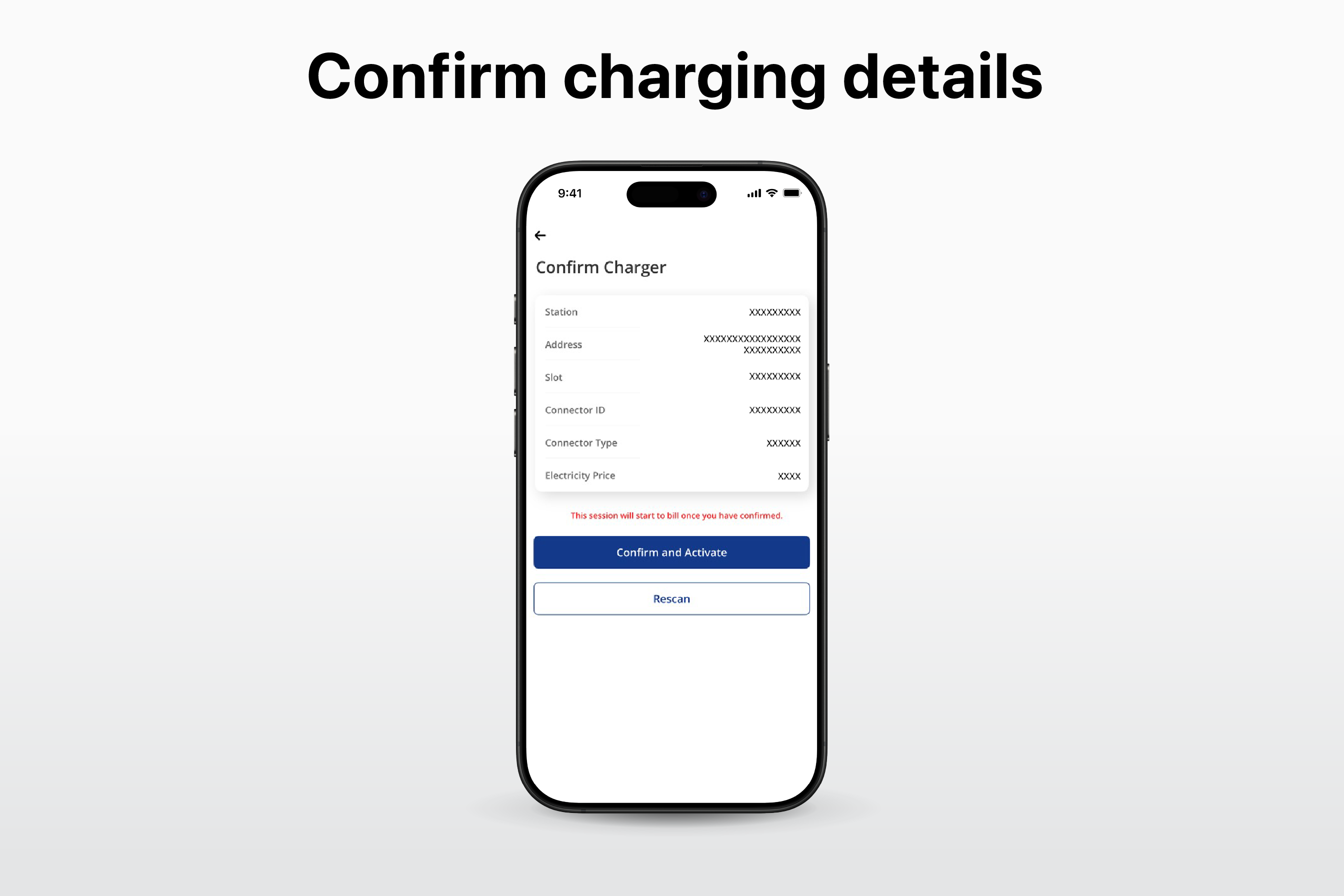
5. Confirm the charging details in the APP, including location & fee etc. Then click “Confirm and Activate” to start charging.
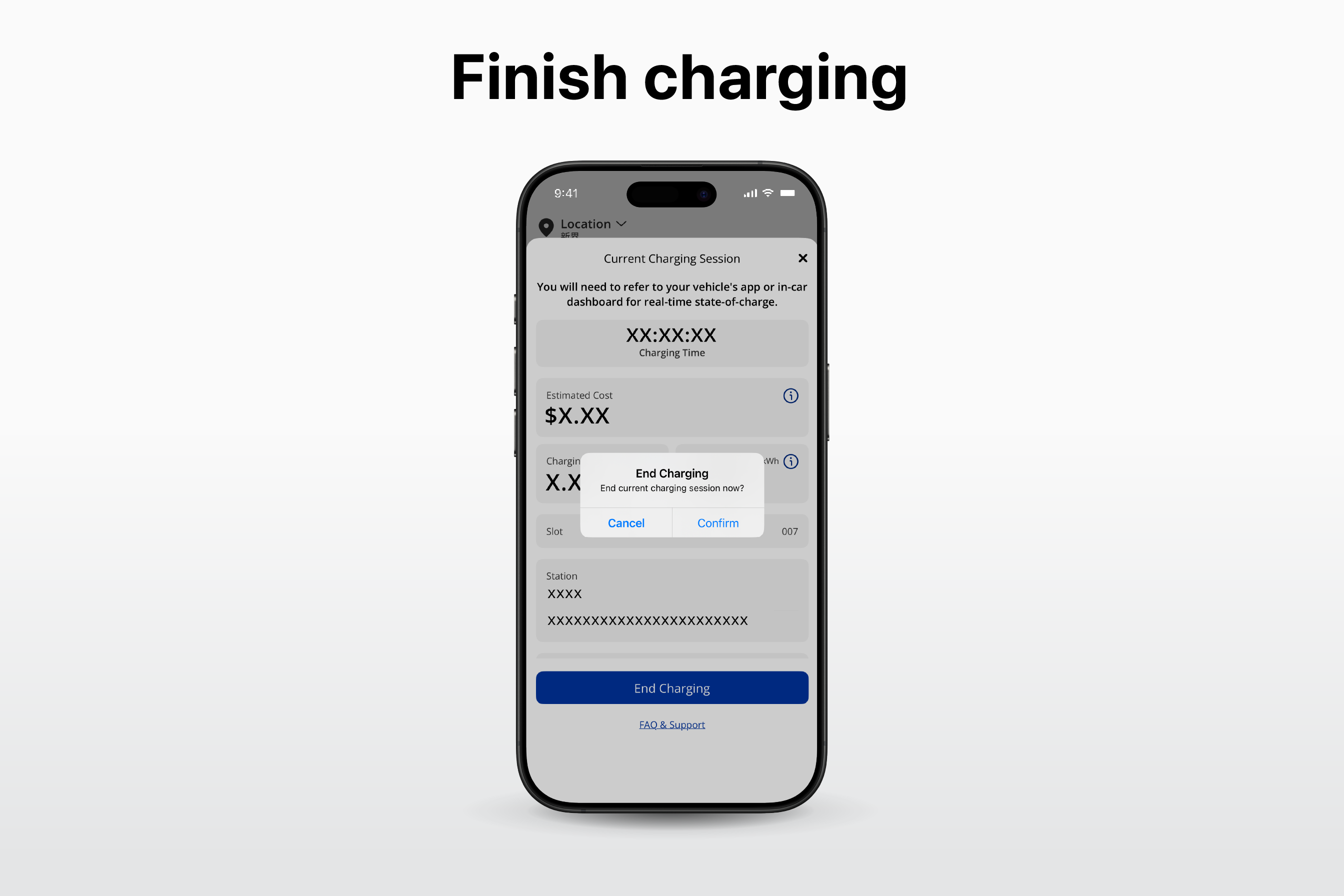
6. Finish Charging in the APP and click “End Charging” button. Please be reminded to check the details before end the charging session
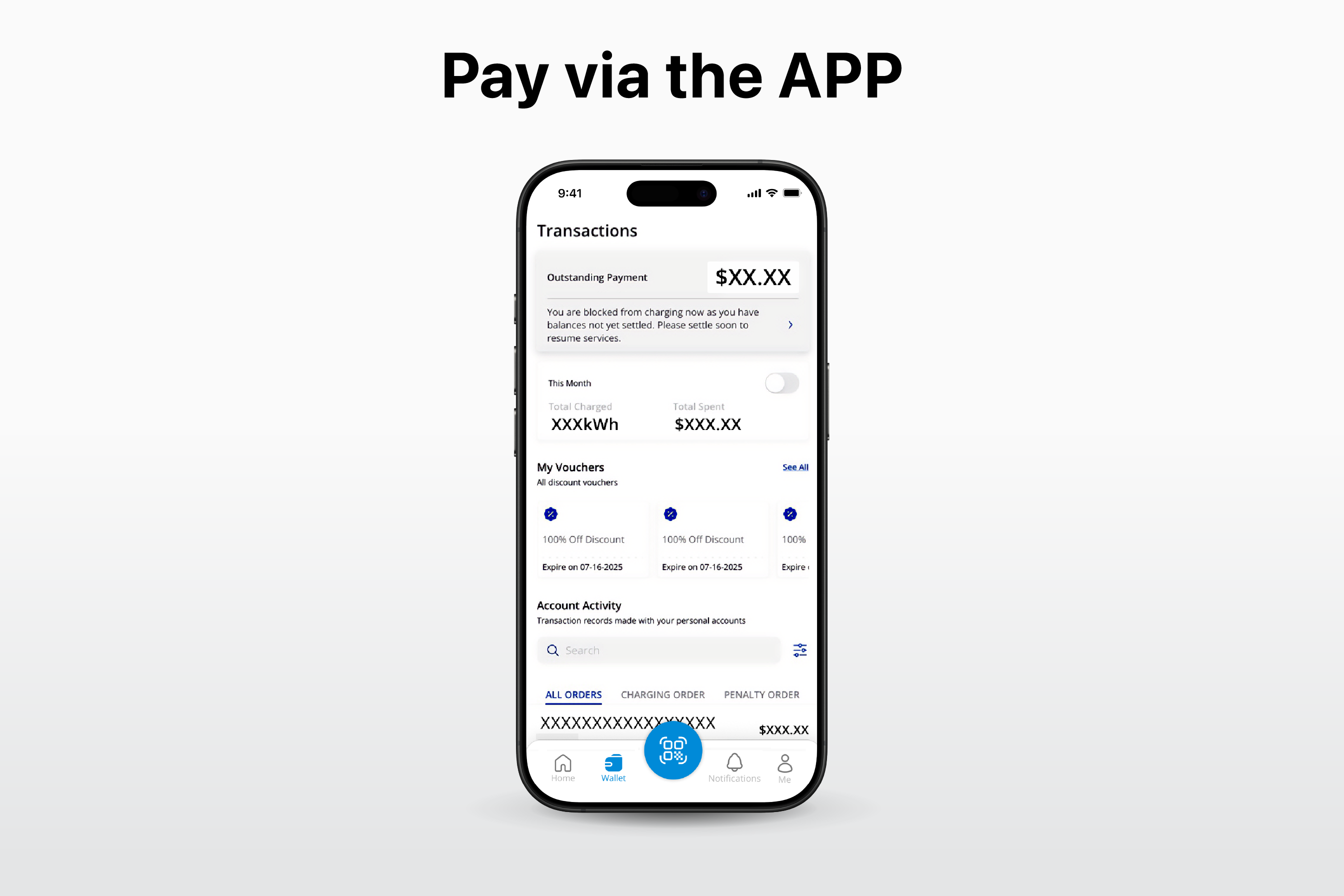
7. Pay via the APP. You can choose below payment methods – Credit Card (Master/ VISA/ JCB), Apple Pay & Google Pay.
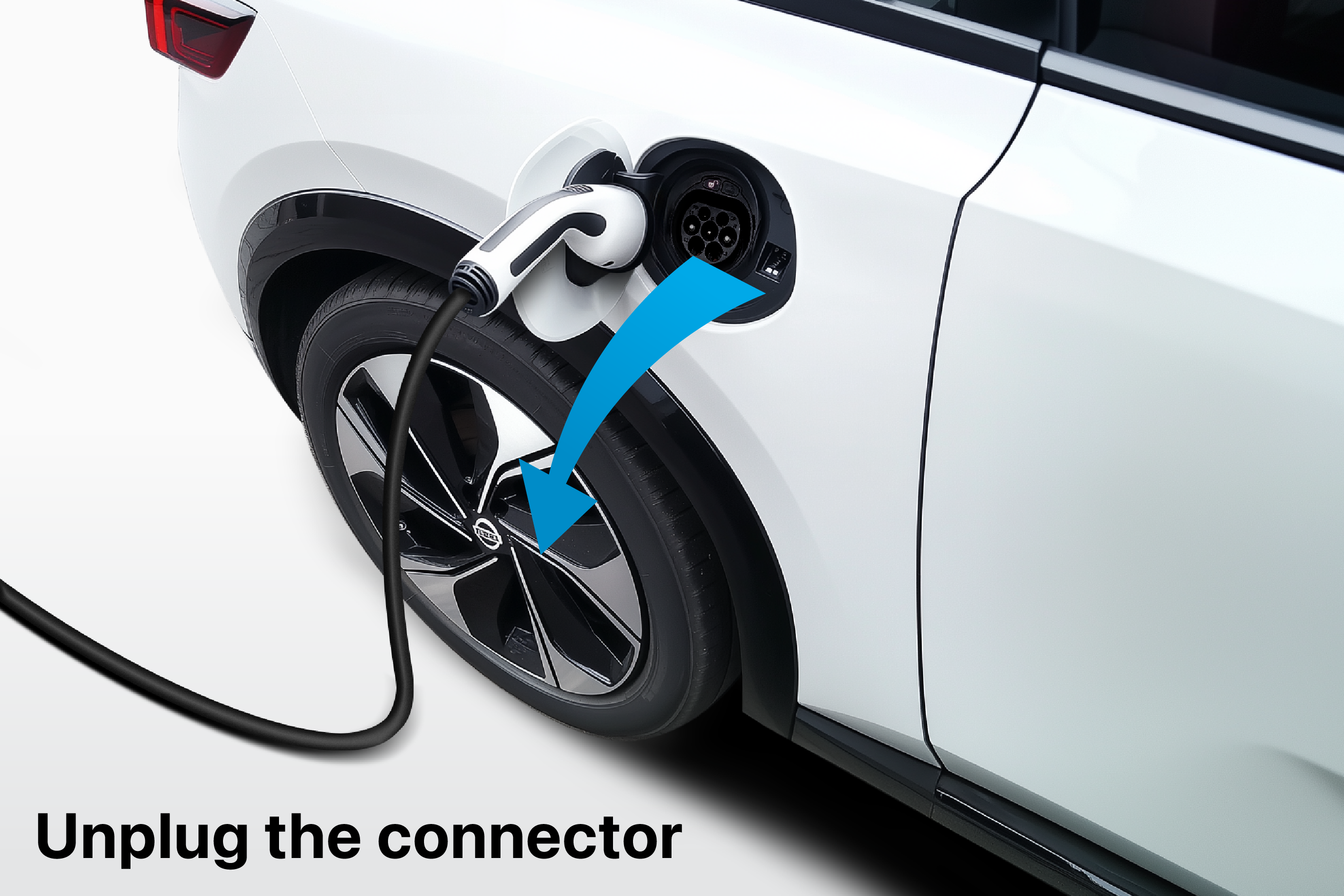
8. Unplug the connector in EV.
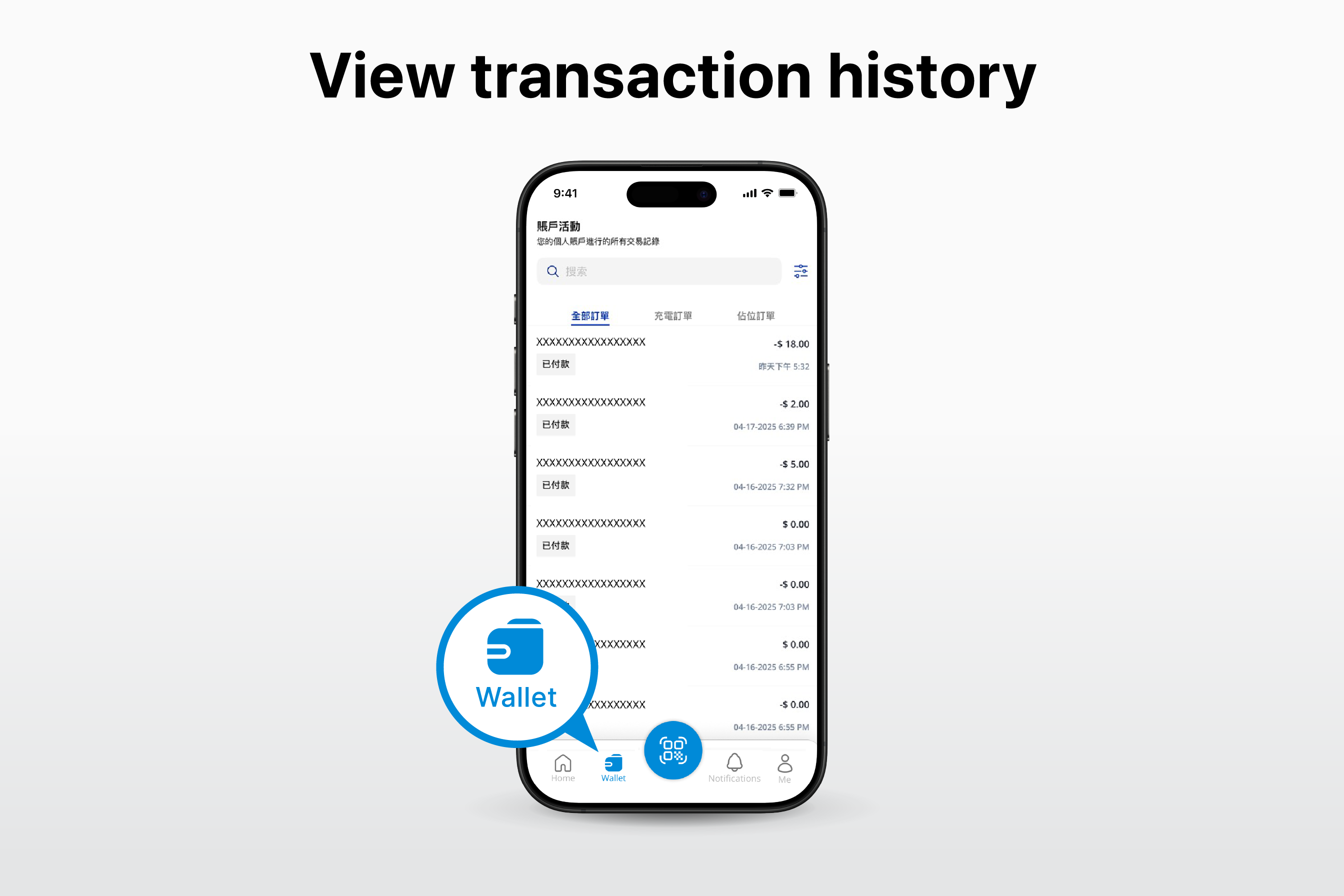
9. Check your transaction history in “Wallet”.
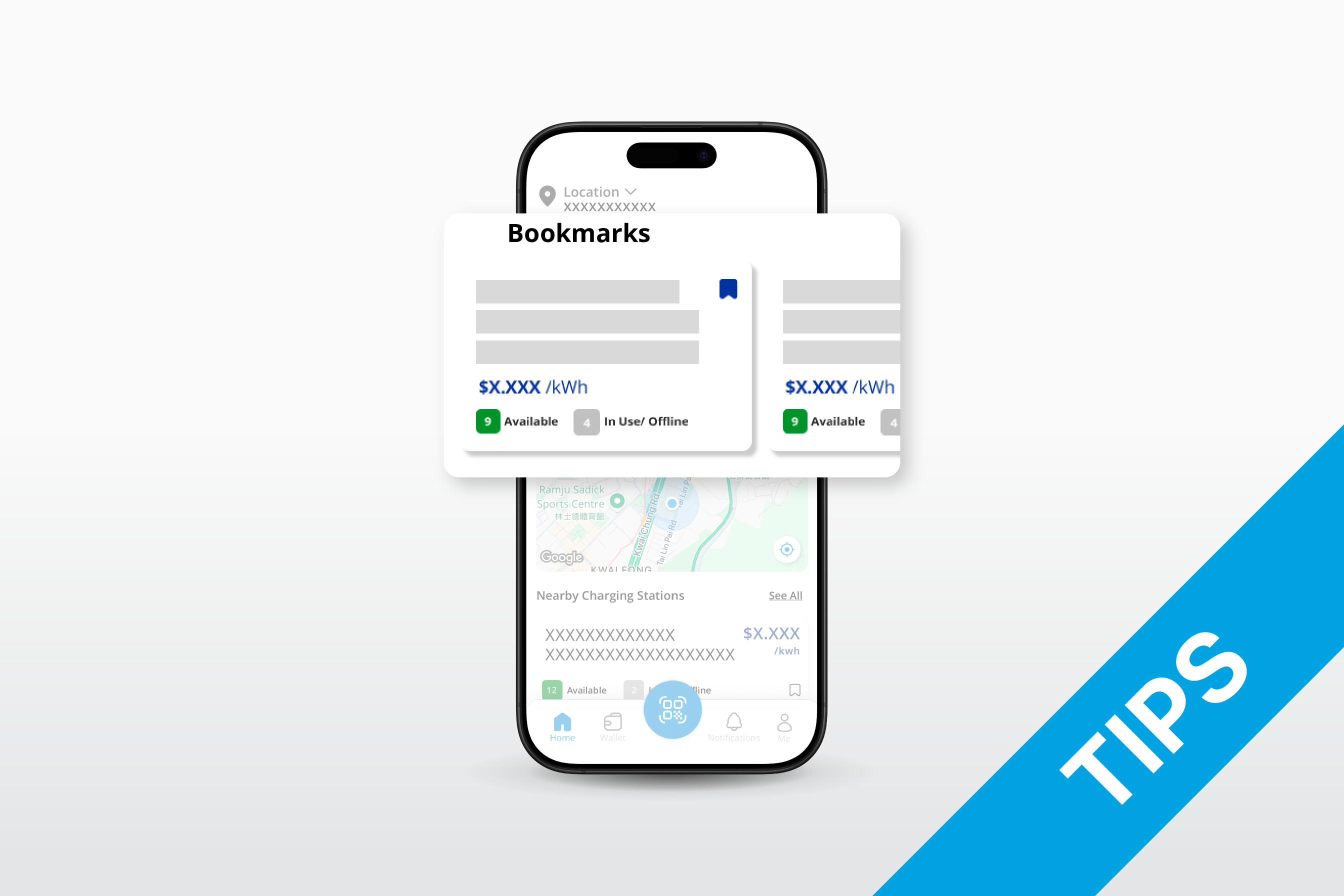
10. Tips: Bookmark your most visited charging stations in the APP.
Back to top
Log inSee moreSee allMenuHomeSearchDid you meanPageHelp and supportDownload our appBusiness objectivesresults foundAccept and continueStart dateEnd dateEvent typeEnviroment relatedPreferred disciplineFirst PreferenceOther PreferenceProject focusProject codeInternship typePagesHelps and supportCourse durationSelect course durationCourse typeforFilter ByClear allShowing {0} of {1} resultsSort byEarliest start dateOldest start dateInternship start dateInternship end datePlease stay tuned for upcoming openings.CalculateKey in the figures and press calculate buttonTotal Carbon emission(kg/COApprox. number of trees plantedElectricity consumption(units)Bill CalculatorBilling Start DateBilling End DateTariff TypeConsumption Unit(kWh)Number of Billing DaysThe earliest date you can select is the 1st day of previous calendar year.Residential TariffConcessionary Tariff for the ElderlyCalculation DetailsNotes:Charge (HK$)DetailsConsumption PeriodRate (HK$)Large Power TariffLarge Power Tariff with High Voltage Super DemandHigh Load Factor Rider DiscountYesNoOn-Peak Period Unit (kWh)Off-Peak Period Unit (kWh)On-Peak Maximum Demand (kVA)Off-Peak Maximum Demand (kVA)Please select datePlease input Consumption UnitThis bill calculator is meant to calculate electricity charges for previous and current years only.The bill calculator can only calculate the budget electricity bill for up to 90 days.Start Date cannot be later than End Date.Please select Tariff TypePlease select High Load FactorPlease input On-Peak Period Unit (kWh) Please input Off-Peak Period Unit (kWh)Please input On-Peak Maximum Demand (kVA)Please input Off-Pear Maximum Demand (kVA)On or off peak demand, whichever is higher, should not less than 35,000 kVAThis topic is related toCustomer Service centreNoteTipView All10 sec videoAs a , I want toResidential customerBusiness customer No data District Sub-districtRecalculatePlease input Number of Billing DaysConsumption UnitkVAkWhEnergy chargeEnergy saving rebateFuel cost adjustmentConcessionary tariffRent & rates special rebateTotal amountEnergy charge on peakEnergy charge off peakDemand charge on peakDemand charge off peak2022 Special rebate2023 Special energy saving rebateSpecial fuel rebateBilling demand shortfallHigh load factor rider discountSearch Help and SupportLatest updateCustomer Service HotlinesYearMonthJanuaryFebruaryMarchAprilMayJuneJulyAugustSeptemberOctoberNovemberDecemberDownloadLink copiedresultsSorry, something went wrong. We can't get that information right now. Please try again later.FeedbackHow would you rate the overall website experience today?Please tell us more(optional)Leave us your comments (optional)SubmitBill CalculatorEV TariffEV Residential Time of Use TariffThe earliest date you can select is {0}.The earliest date you can select is the 1st day of previous calendar year.help-supportApplySortingMost RecentMost RelevantTypeFilesWebpagesSectionBusinessResidentialeMobilityCommunityEnvironmentEducation & developmentHelp & supportFiltersFilteringAll PagesAll Types